Why storage type shapes how fast a laptop feels
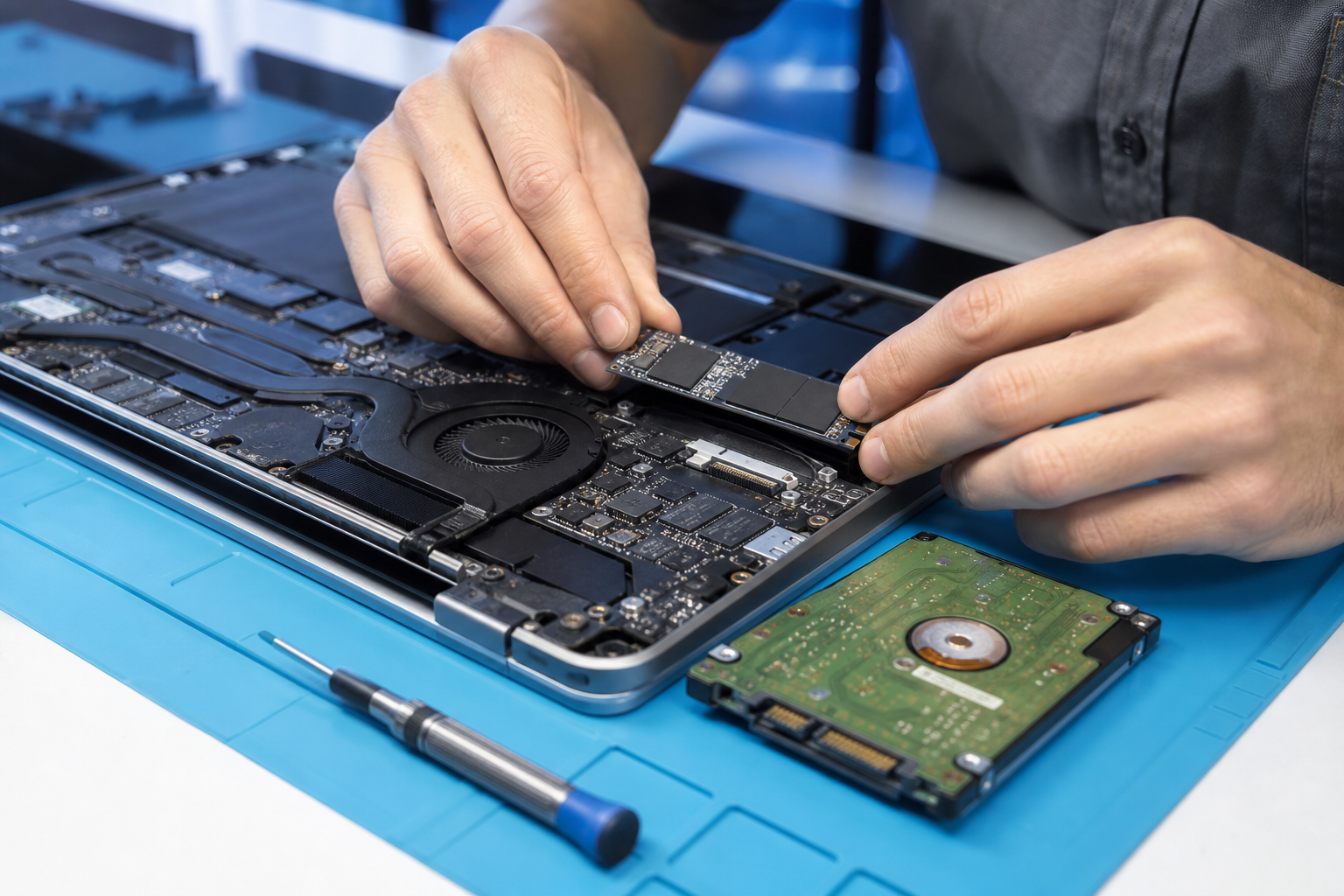
An ageing laptop with a capable processor can still feel painfully slow when it relies on a traditional spinning hard disk. Every Windows update, browser profile, and application launch waits on mechanical heads seeking data. Replacing that drive with a solid state drive is often the single highest value upgrade available for machines that otherwise remain useful. Boot times drop, applications open with less hesitation, and the system becomes more resilient to bumps that would have harmed a platter drive. At vFix Tech in Tarneit we perform SSD upgrades daily for students, remote workers, and small offices that want another few good years from hardware they already own.
Not every slow computer needs a full replacement. If the screen is intact, the keyboard is comfortable, and the CPU is still adequate for office work, an SSD plus a fresh operating system install can transform the experience. Adding RAM at the same time helps if you keep many browser tabs and office documents open together. We assess drive health, backup needs, and upgrade paths before touching your data so photos and coursework are protected during the migration.
What changes after an SSD upgrade
Customers often describe the result as getting a new laptop feeling without buying a new chassis. Startup becomes measured in seconds rather than minutes. Hibernation and resume behave more predictably. Disk thrashing noises disappear. Thermals can improve slightly because the system spends less time in prolonged high disk activity, though dust cleaning and paste service may still be recommended on older machines. Gaming laptops and creator notebooks also benefit when project files and games load from fast storage, even if the GPU remains the limiting factor for frame rates.
- Faster boot and application launch compared with spinning hard drives
- Quieter operation and better resilience to everyday movement
- Option to clone your existing system or perform a clean Windows install
- Pair with RAM upgrades when multitasking is part of the slowdown
- Local Tarneit fitting with warranty backed workmanship on supplied parts
Clone versus clean install
Cloning copies your current system to the new SSD and can be convenient when you need identical software and settings immediately. Clean installs take longer up front but remove years of accumulated clutter and sometimes fix deep software issues that cloning would preserve. We discuss which approach suits your timeline and risk tolerance. Either way, a backup first is non negotiable if the old drive still reads. Failed drives that are already clicking may need recovery conversation before upgrade planning.
Interface types matter. Older laptops may use SATA SSDs while newer ones favour NVMe modules with different slots and lengths. Using the wrong form factor wastes money and time. Bring the laptop for model identification if you are unsure. We stock common upgrade sizes and can advise on capacity. Two hundred fifty six gigabytes suits light users, five hundred twelve is a sweet spot for many households, and larger drives help photo and video libraries that stay local.
Cost comparisons against a brand new laptop often favour the upgrade when the chassis is sound. A refurbished machine from our catalogue can be better if hinges are broken, the screen is failing, or the motherboard is unstable. Honest triage is part of the service. Western suburbs customers choose vFix Tech because we explain those trade offs without pushing the most expensive option by default.
After the upgrade, keep some free space on the SSD for peak performance, enable sensible sleep settings, and maintain backups. SSDs are robust but not immortal, and ransomware or accidental deletion still requires a recovery plan. Ask us about simple external backup routines when you collect the machine. If you are ready to feel the difference, book an SSD upgrade appointment online or call 0452 545 359.
Teachers, uni students, and accounting staff across Tarneit frequently notice the biggest day to day gains because their workloads are storage sensitive rather than GPU heavy. Video conference software, cloud sync clients, and browser based tools all benefit from snappy local disks. Even machines destined for light retirement as media players become more pleasant after solid state conversion.
If your laptop currently takes longer to wake than to make a coffee, it is time for a storage conversation. Bring it to 7 Clovertree Street and we will measure realistic improvement expectations for your model. Clear quotes, careful cloning or installs, and local aftercare define how we deliver SSD upgrades at vFix Tech.